 Site Moving Day
Note 07
What to check after the move
Last reviewed
In brief
- Check the live site yourself on day one.
- Watch both hosts for a while.
- Keep redirects long after the move.
Day one
Open the live site as a visitor would. Do not rely on the test copy any more.
- Open the home page and five or six others.
- Check pictures and downloads.
- Send a test message from each form.
- Try a few old addresses and confirm they forward.
- Look for pages that say "not secure" or show broken pictures.
Fix small things now. A broken picture is easy to repair on day one and annoying on day thirty.
Update your own links
Google says to update internal links after a move.[1] Redirects work, but a direct link is faster. Change links in menus, emails and social profiles to the new addresses.
Watch both hosts
Google says to keep an eye on the server logs of both the new and old servers.[2] A server log is a record of who asked for what. Visits to the old host should fall as visits to the new one rise.
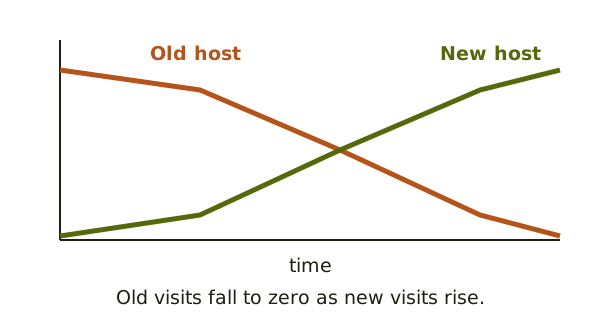
If the old host still gets steady visits, find out who is going there. It may be a link you forgot to update.
Search engines take time
Google says to expect temporary changes in ranking during a move.[1] It also says it's normal to see a temporary drop in Googlebot's crawl rate right after the launch.[2] Do not panic in the first few days. Look for errors, not small ups and downs.
A short routine
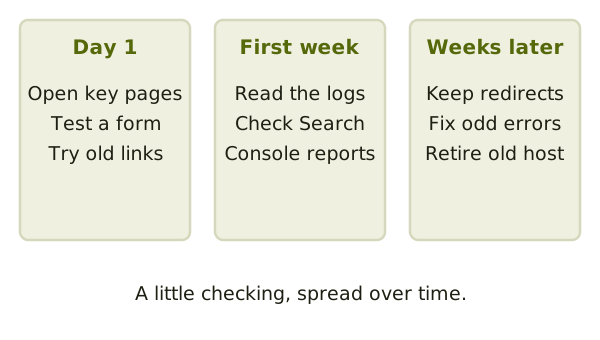
Pick a rhythm and stick to it. Look at the live site on day one, again after three days, and again after a week. Each time, open the same pages and use the same forms. Comparing like with like makes a small fault easy to see.
Keep a list of anything odd. Fix the real faults first and leave the rest.
Closing the old account
Google says that once traffic to the old provider reaches zero, you can shut it down.[2] Make a final backup of the old site first. Keep it for a while.
Keep the redirects
Don't remove redirects when the dust settles. Google says to keep them for as long as possible.[1]
You've now been through the whole path. If you want to look back, start again at what moves in a site move.
Sources
- Site Moves and Migrations, Google Search Central (accessed 2026-11-05)
- Changing Your Web Hosting and SEO, Google Search Central (accessed 2026-11-05)