 Site Moving Day
Note 01
What actually moves when a site moves
Last reviewed
In brief
- A site is files, sometimes a database, settings and web addresses.
- Move all four in a planned order.
- Change one big thing at a time.
What "moving" means
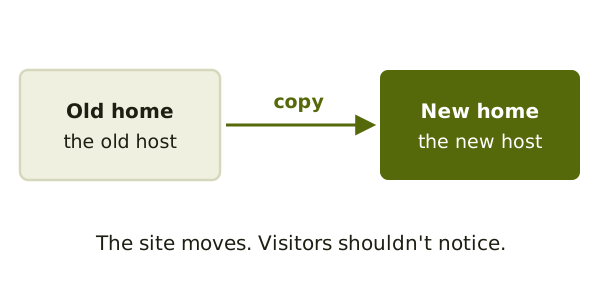
A host is the company whose computers show your pages to visitors. A platform is the software your site is built with, like a website builder or a blog system. A site move means putting your site on a new host, a new platform, or both.
Think of the host as a building and the site as your furniture. You are carrying the furniture to a new building.
The four parts
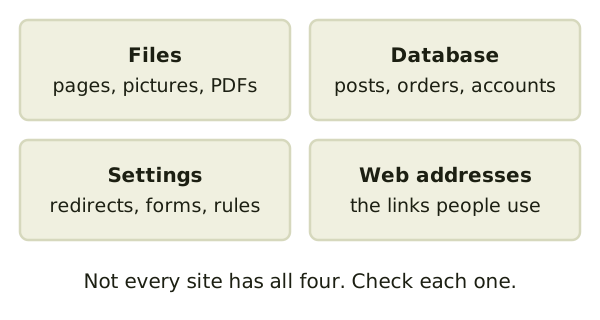
Files are the pages, pictures and downloads. Google says to transfer images and downloads, such as PDF documents, that you host.[1]
A database is an organised store for content. Blog and shop systems keep posts, orders and accounts there. Plain HTML sites have none. Google says the copy may be HTML files, or a database export you import in the new place.[2]
Settings are the rules that make the site behave. Think of forms, redirects and rules about what search engines may see.
Web addresses are the links people use to reach each page. They matter most, because other sites and bookmarks point at them.
Take everything, not just the pages
WordPress's own guide gives a good rule. Start by backing up your directory, images, plugins and other files, plus the database.[3] That list is a fair start for any platform.
One change at a time
Moving, redesigning and renaming pages all at once is risky. If something breaks, you can't tell which change did it. Google advises planning changes one after the other, not all at the same time.[1]
So move the site first. Redesign later.
Will the addresses change?
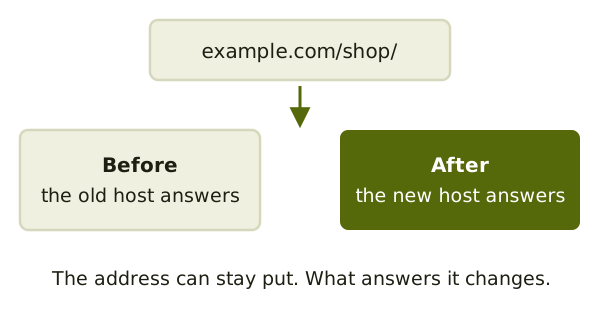
Sometimes a move keeps every web address the same. That is the easy case. WordPress's guide says that if the database and URL stay the same, you can move by copying your files and database.[3]
Other moves change addresses. Maybe example.com/about.html becomes example.com/about/. Then old links need a forward. The note on keeping old URLs working covers that.
Next, list what you have: inventory before you move.
Sources
- Site Moves and Migrations, Google Search Central (accessed 2026-11-05)
- Changing Your Web Hosting and SEO, Google Search Central (accessed 2026-11-05)
- Migrating WordPress, WordPress Advanced Administration Handbook (accessed 2026-11-05)