 Site Moving Day
Note 04
Keeping old URLs working with 301 redirects
Last reviewed
In brief
- A 301 redirect says "this page has moved for good".
- Give every old address its own matching new address.
- Test the redirects, and keep them for a long time.
Why old links matter
Other websites, bookmarks and search results all point at your old addresses. If the page isn't there any more, people see an error. A redirect fixes that. It sends a visitor from the old address to the new one.
What a 301 does
A redirect has a number called a status code. The code 301 means "Moved Permanently". MDN says it shows the requested page has been permanently moved to the address in the Location header.[1]
You never see this happen. Browsers load the new address straight away.[2]
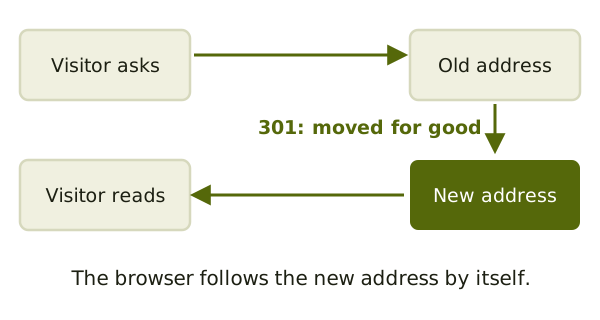
Google recommends permanent redirects, such as 301 and 308, when you can use them.[3]
Make a map first
Open the sheet from your inventory. For each old address, write the exact new one. Google says it's important to map old URLs to the new ones.[3]
A rule can do the work for many pages at once. For example, one rule could forward every /blog/... address to the same path on the new site.
You can set redirects up in your host's control panel, in a server file or in your CMS. Ask your host which way it supports.
Three mistakes to avoid
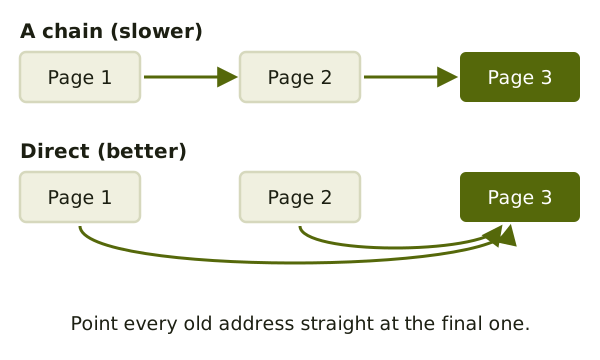
Chains. A chain is when page 1 goes to page 2, which goes to page 3. Google says to avoid chaining redirects.[3] Point page 1 straight at page 3.
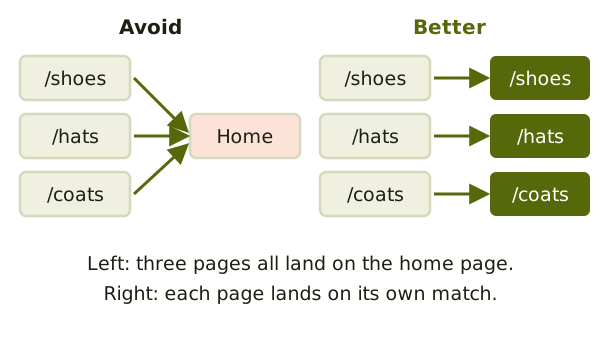
Everything to the home page. Google says not to send many old addresses to one unrelated place, such as the new home page.[3] A visitor looking for shoes should land on shoes.
Loops. A loop happens when redirects keep following each other.[2] The page never loads. This often shows up right after you change a server setting.
Test and keep them
Google says to test the redirects.[3] Open a few old addresses by hand and see where you land. For many addresses, a short script can check the list.
Google also says to keep the redirects for as long as possible.[3] Don't delete them after a week.
Next: testing the new copy before anyone is sent to it.
Sources
- 301 Moved Permanently, MDN Web Docs (accessed 2026-11-05)
- Redirections in HTTP, MDN Web Docs (accessed 2026-11-05)
- Site Moves and Migrations, Google Search Central (accessed 2026-11-05)