 Site Moving Day
Note 05
Testing the new copy before anyone sees it
Last reviewed
In brief
- Try the new copy while visitors still use the old site.
- Click through everything a visitor would.
- Hide the test copy from search engines, then unhide it at switch time.
Why test first
Once the new copy is live, mistakes are public. A test copy lets you find them quietly. Google suggests creating a testing environment, maybe with access limited to certain addresses, to try every feature before the site goes live.[1]
Ways to reach the new copy
Your new host will often give you a temporary address to open it. Google mentions using a temporary hostname such as beta.example.com.[1] A hostname is just the name part of a web address.
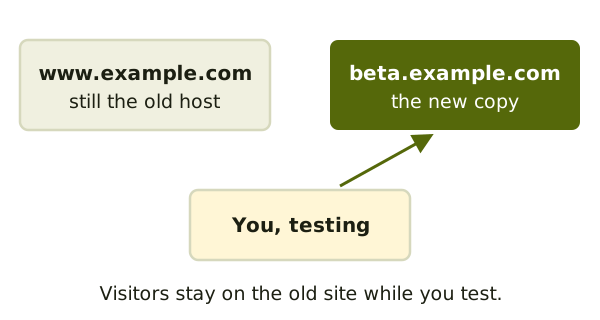
Another trick edits the hosts file on your own computer. It is a plain file that maps names to addresses, so your computer can ask the new host directly.[2] Only your computer is affected. Remove the line when you finish.
What to click through
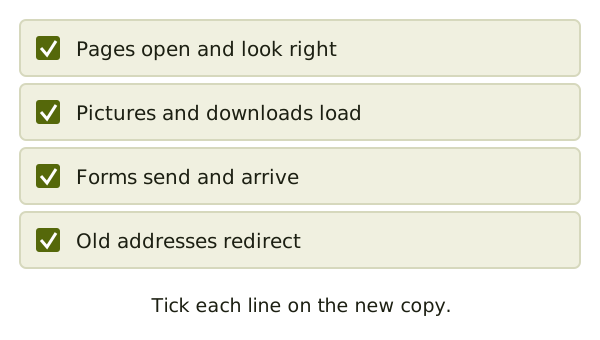
Google says to open the new site in a browser and review pages, images, forms and downloads, such as PDF files.[1]
Work like a visitor. Open the home page. Follow the menu. Search for something. Send a message through the contact form and check that it arrives. Also try the old addresses from your sheet, because Google says to test the redirects.[3]
Test on a phone too. Many visitors will use one.
Keep a notes list as you go. Write down each fault with the page address and what you expected to see. Fix them in order, then run the whole checklist once more. A second pass often finds something the first one hid.
If you can, ask a friend to try the copy too. They will click things you'd never think to click, because you already know where everything is.
Keep the test copy out of search results
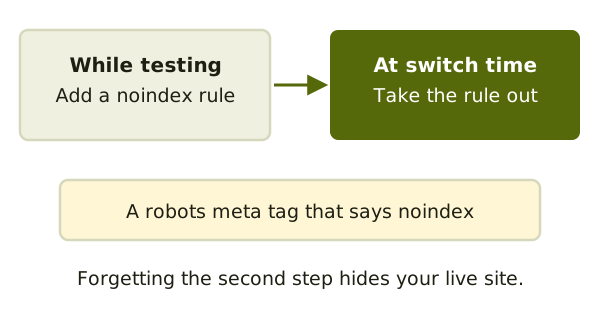
If a test copy is public, search engines may list it. Google says to add a noindex robots rule to the HTML or HTTP headers of the pages.[1] A noindex rule asks search engines not to list a page.
Here is the catch. That rule must come out again. Google says to remove such blocks from the new copy when you are ready to start the move.[1] Put "remove noindex" on your cutover checklist.
Next: planning the switch-over day.
Sources
- Changing Your Web Hosting and SEO, Google Search Central (accessed 2026-11-05)
- hosts (file), Wikipedia (accessed 2026-11-05)
- Site Moves and Migrations, Google Search Central (accessed 2026-11-05)