 Site Moving Day
Note 06
Planning the switch-over day
Last reviewed
In brief
- The switch is one small step. The planning around it is the real work.
- Prepare a week ahead, test the day before, switch at a quiet time.
- Keep the old host running until the move is finished.
The switch itself
Visitors reach your site through the domain name. On switch day, you change where that name points. Google describes it plainly: change the DNS settings of your domain name to point to the new hosting.[1] DNS is the system that connects a name to a host. How it works is covered elsewhere, so here we only use it.
Everything else is preparation, so nothing surprising happens.
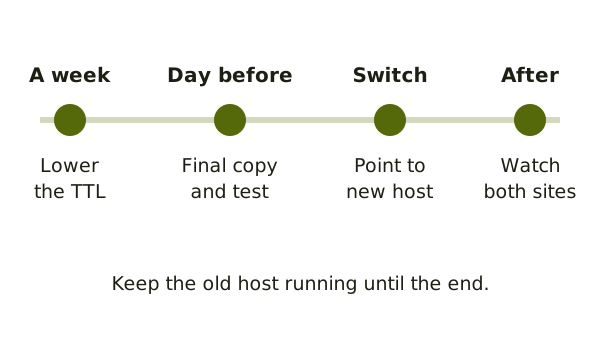
A week before
Ask whoever looks after your DNS settings to lower the TTL. That is the time computers remember the old answer. Google suggests a low value, such as a few hours, at least a week before the move.[1] Then the change spreads quicker.
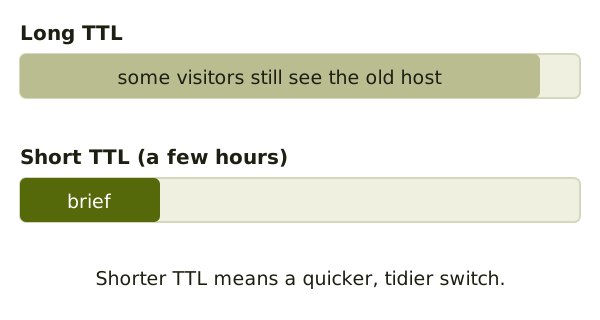
The day before
- Make a final copy of the site, so new posts or orders are included.
- Run your test checklist again.
- Make sure no firewall blocks Google. Google says to check that it does not block Googlebot's ability to reach the DNS or the host's servers.[1]
- Write the plan on one page, with who does what.
Choose a quiet time
Google says to time the move for lower traffic, if possible.[2] Look at your visitor stats. Pick the quietest day and hour. Fewer people are affected if something goes wrong.
Switch day
- Take off any test blocks. Google says to remove temporary blocks from the new copy when you start the move.[1]
- Turn on your redirects, if addresses changed.
- Change the DNS settings.
- Open the live site on a phone and a laptop.
Small and medium sites should move all pages at once, Google advises.[2] Moving in pieces is for large sites.
Expect an overlap
For a short time, some visitors still reach the old host and others reach the new one. That's normal. It is why you keep the old host running.
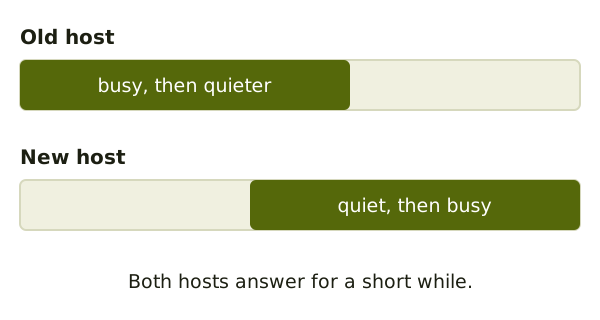
Switching off the old host
Wait. Google says to shut the old hosting down only when you're confident of two things. First, everyone, Googlebot included, gets the right content from the new host. Second, nobody still uses the old one.[1]
Then run the checks for after the move.
Sources
- Changing Your Web Hosting and SEO, Google Search Central (accessed 2026-11-05)
- Site Moves and Migrations, Google Search Central (accessed 2026-11-05)